

 2026-05-27T03:00:09.000Z
AI video generation has moved from experimental to essential in a matter of months. Among the tools reshaping this space, Seedance 2.0 Fast stands out as ByteDance's answer to creators who want speed without sacrificing quality. It is the fast tier of the Seedance 2.0 model family, designed for rapid iteration and high-throughput workflows.
Launched in early 2026, Seedance 2.0 Fast gives users text-to-video, image-to-video, and reference-to-video capabilities with lower latency and cost compared to the standard tier. Whether you are testing creative concepts, producing social media clips, or building automated video pipelines, this model deserves attention.
Part 1. What Is Seedance 2.0 Fast?
Seedance 2.0 Fast is the speed-optimized variant of ByteDance's Seedance 2.0 text-to-video model. It runs on the same underlying Multimodal Diffusion Transformer architecture as the standard tier but prioritizes faster generation times and lower cost per clip. The model is accessible through API platforms like fal.ai and can handle text prompts, image inputs, and multi-modal references.
The fast tier outputs 720p cinematic video with native audio generation, director-level camera control, and multi-shot editing — all in a single pass. Duration ranges from 4 to 15 seconds, with resolution options at 480p (faster/cheaper) or 720p.
Part 2. Seedance 2.0 Fast: Key Features
Understanding the Seedance 2.0 Fast feature set helps explain why it has gained traction among AI video creators and development teams.
1. Native Audio Generation
Audio comes built in. The model generates synchronized sound effects, ambient soundscapes, and lip-synced dialogue across 8+ languages — all included at no extra cost. This eliminates the need for a separate audio pipeline in most production workflows.
2. Director-Level Camera Control
Camera behavior is controlled through prompt language. The model understands standard cinematography terms: dolly zooms, rack focuses, tracking shots, POV switches, and handheld movement. You can specify exact camera trajectories without uploading reference videos, though reference uploads are supported for more precise control.
3. Multi-Shot Editing
A single generation can include natural cuts between shots. Structure your prompt as a timeline — for example, 0–4 seconds: wide establishing shot, 4–8 seconds: medium tracking shot — and the model produces a coherent sequence with consistent characters and smooth transitions.
4. Realistic Physics and Motion
Character motion, fabric draping, water behavior, and collision physics are noticeably improved over earlier models. Hand rendering — a long-standing weakness in AI video — shows meaningful progress. Fingers stay at the right count more often, and limb movements look weighted rather than floaty.
5. Multi-Modal Input Support
Beyond text prompts, Seedance 2.0 Fast accepts up to 9 reference images, 3 reference videos, and 3 audio clips. The @reference tagging system lets you specify exactly where each reference applies in the output. This is especially useful for character consistency across multiple generations.
Part 3. Seedance 2.0 Fast vs Standard: Which Should You Choose?
The choice between Seedance 2.0 Fast and the standard tier comes down to speed, cost, and use case.
| Feature | Fast Tier | Standard Tier |
|---|---|---|
| Generation Speed | Faster | Slower |
| Cost (per second, 720p) | $0.2419 | $0.3034 |
| 10-sec clip cost | ~$2.42 | ~$3.03 |
| Output Quality | 720p cinematic | Higher fidelity |
| Best For | Iteration, testing, high volume | Final production |
For most users, the fast tier is the practical starting point. It is ideal for brainstorming, A/B testing creative directions, and building video content at scale. The standard tier makes sense when you need the highest possible fidelity for a final deliverable.
Part 4. Seedance 2.0 Fast Pricing
The fast tier uses token-based billing. The formula is: tokens = (height × width × duration × 24) / 1024. At $0.014 per 1,000 tokens, a 10-second 720p clip costs approximately $2.42. Audio generation is included at no extra charge regardless of settings.
Compared to other AI video generators on the market, this pricing is competitive — especially when you factor in native audio, camera control, and multi-shot capabilities that competitors charge separately for.
Part 5. How to Use Seedance 2.0 Fast: A Quick Tutorial
Getting started with Seedance 2.0 Fast is straightforward. Here is a basic workflow:
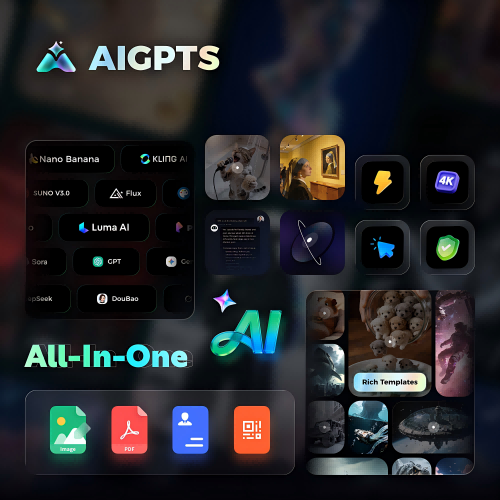
· Choose your access point — API platforms like fal.ai offer direct access, while all-in-one platforms like AIGPTS provide a visual interface alongside multiple AI video models.

· Write your prompt — Use specific cinematography terms. Instead of "moving camera," write "slow dolly-in from wide to medium close-up." The model responds well to film language.
· Add references (optional)— Upload reference images, videos, or audio clips and tag them with @image1, @video1, etc. to guide the output.
· Set your parameters — Choose resolution (480p or 720p), duration (4–15 seconds), and aspect ratio (16:9, 9:16, 1:1, and more).
· Generate and iterate — The fast tier is built for speed. Run multiple variations, refine your prompts, and build toward your final vision.
Part 6. Seedance 2.0 Fast Prompt Examples
Good prompts make the difference between generic output and compelling video. Here are examples that showcase the model's strengths:
· Cinematic landscape: "A lone astronaut walks across a rust-colored Martian plain at dusk, dust devils swirling in the distance, handheld camera, cinematic."
· Product showcase: "Slow dolly-in on a sleek watch on a marble surface, golden hour lighting, shallow depth of field, subtle lens flare."
· Multi-shot narrative: "0-4s: wide establishing shot of a rain-soaked city street at night, neon signs reflecting in puddles → 4-8s: push-in to a figure in a trench coat walking toward camera → 8-12s: close-up of their face, raindrops on coat."
· Character animation: "Low-angle tracking shot following a dancer spinning in an empty warehouse, fabric flowing, dramatic shadows, camera orbits 180 degrees."
Part 7. Seedance 2.0 vs Kling vs Happy Horse 1.0 vs Veo 3.1: Competitive Comparison
The AI video landscape in 2026 includes several strong contenders. Here is how Seedance 2.0 Fast compares to the main alternatives: Seedance 2.0 vs Happy Horse 1.0 vs Kling vs Veo 3.1
| Model | Best Fit | Main Strength | Main Tradeoff |
|---|---|---|---|
| Seedance 2.0 Fast | Control-heavy teams | Reference-driven direction + speed | Learning curve for casual users |
| Kling 3.0 | Short-form production | Repeat generation + strong motion | Less creative control |
| Happy Horse 1.0 | Quick & Diversification | hyper-realistic cinematic creation | Less detailed scenes |
| Veo 3.1 | Audio-first workflows | Native audio quality | Shorter clip duration |
Seedance 2.0 Fast occupies a unique position: it is the control-first option with the fastest iteration cycle. Kling 3.0 is the production-first choice. Happy Horse 1.0 is best for native audio-video synchronization for hyper-realistic cinematic creation. Veo 3.1 wins on audio quality. The right pick depends on your specific workflow.
Part 8. Who Should Use Seedance 2.0 Fast?
Seedance 2.0 Fast is not for everyone. It fits specific use cases better than others.
Best fit: Creative teams that work from references, not just text prompts. Studios building stylized short-form video where camera direction and visual consistency matter.
Good fit: Editors and post-production teams that need structured generation workflows. Teams producing content at volume who benefit from lower cost per clip.
Consider alternatives if: You want the fastest route from a single sentence to acceptable output. Simpler prompt-first models like Kling 3.0 may be easier for casual use.
Part 9. Tips for Getting the Best Results
· Use specific camera language in prompts. The model recognizes film terminology — dolly, pan, tilt, orbit, tracking shot.
· Upload video references for complex camera moves. Even a rough phone recording showing the trajectory helps the model understand your intent.
· Structure multi-shot prompts with timeline notation. Break your scene into segments with clear time markers.
· Iterate quickly with the fast tier. Use lower resolution (480p) for early tests, then switch to 720p for final outputs.
· Leverage the reference system for character consistency. Upload the same face reference across generations to maintain visual continuity.
· Experiment with audio settings. Native audio generation adds production value at no extra cost — enable it for most use cases.
Conclusion: Is Seedance 2.0 Fast Worth It?
Seedance 2.0 Fast is one of the most capable fast-tier AI video generators available in 2026. It combines speed, native audio, camera control, and multi-shot editing at a competitive price point. For teams that value creative control and rapid iteration, it is a strong choice.
But the learning curve is real — this is not a one-click tool. Skilled operators get significantly more from Seedance 2.0 Fast than casual users. For creators looking for an all-in-one platform to explore Seedance 2.0 and dozens of other AI models, AIGPTS offers a unified workspace where you can generate AI videos, images, and more without switching tools.