
 2026-04-13T07:18:49.000Z
Quick Verdict
**Overall Rating:** ★★★★☆ (4.2/5)
**Bing Image Creator** remains one of the best free AI image generators in 2026, powered by DALL-E 3. It's perfect for beginners who want quality outputs without paying. However, limited boosts, slow generation after free credits run out, and strict content filters may frustrate power users.
**Best for:** Casual users, students, quick social media graphics
**Not ideal for:** Professional designers, bulk generation, commercial projects
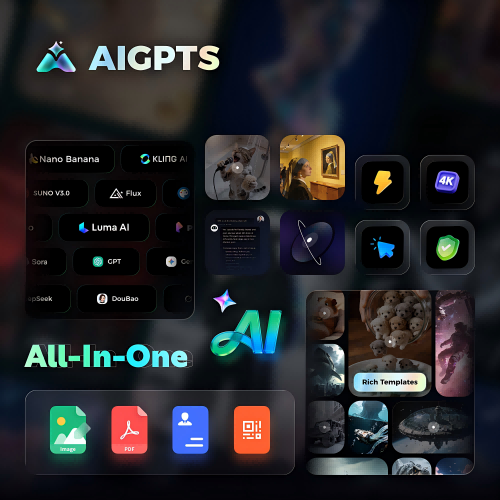
**Top Alternative:** AIGPTS offers multiple AI models (Nano Banana, Kling AI, Midjourney) with more flexible credits and faster generation speeds.
What Is Bing Image Creator?
**Bing Image Creator** is Microsoft's free AI image generation tool, powered by OpenAI's DALL-E 3. Launched in 2023, it lets users create images from text prompts at no cost. The tool integrates directly into Bing Chat and Microsoft Edge, making it accessible to millions of users.
In 2026, Bing Image Creator continues to use an updated version of DALL-E 3 (PR16 model), delivering improved prompt adherence and image quality. The core promise remains: free AI image generation with Microsoft account login.
Key Features of Bing Image Creator
1. DALL-E 3 Integration
Bing Image Creator uses OpenAI's DALL-E 3, one of the most advanced text-to-image models available. This means:
· Strong prompt understanding
· Good text rendering within images
· Diverse artistic styles
· Relatively accurate anatomy (though hands can still be problematic)
2. Free to Use
The biggest draw? It's completely free. No credit card required. No subscription tiers. Just sign in with a Microsoft account and start creating.
3. Boost System
Microsoft uses a "boost" system to manage server load:
· 15 boosts per day (approximately)
· Each prompt uses 1 boost
· Fast generation with boosts (30-60 seconds)
· After boosts run out: unlimited but slower generation (3+ hours per prompt sometimes)
4. Multiple Aspect Ratios
Choose from three aspect ratios:
· Square (1024x1024)
· Portrait (1024x1792)
· Landscape (1792x1024)
5. Microsoft Ecosystem Integration
Bing Image Creator works seamlessly with:
· Bing Chat (now Microsoft Copilot)
· Microsoft Edge browser
· Windows 11 (built into taskbar search)
· Mobile app (iOS/Android)
6. Content Safety Filters
Microsoft enforces strict content policies. The AI blocks:
· NSFW content
· Copyrighted characters
· Political figures
· Violence or harmful imagery
This keeps the tool safe but can be frustrating for creative projects.
How to Use Bing Image Creator
Getting started takes minutes:
· Visit https://www.bing.com/images/create
· Sign in with your Microsoft account
· Enter your prompt in the text box
- **Click "Create"** and wait for generation
- **Download** your images (4 variations per prompt)
- **Refine** by adjusting your prompt if needed
Prompt Tips for Better Results
· Be specific: "a golden retriever puppy in a basket" beats "a dog"
· Include style keywords: "photorealistic," "watercolor," "anime style"
· Add lighting details: "golden hour," "studio lighting," "dramatic shadows"
· Mention composition: "close-up portrait," "wide angle landscape"
Bing Image Creator Pricing & Free Limits
Free Tier
Paid Options
There's no direct paid tier for Bing Image Creator. However, Microsoft offers:
· Microsoft 365 Personal ($6.99/month): Includes 60 boosts/month
· Microsoft 365 Family ($9.99/month): Includes 60 boosts/month per user
For unlimited fast generation, you'll need to look at alternatives like AIGPTS or paid DALL-E 3 access via OpenAI.
Pros & Cons
✅ Pros
**Free to use:** No credit card required. Anyone with a Microsoft account can start creating immediately.
**DALL-E 3 quality:** Industry-leading prompt understanding and image quality. Text rendering is surprisingly good.
**Easy to use:** Clean interface. No complex settings. Just type and create.
**Fast with boosts:** When you have boosts, generation takes under a minute.
**No watermarks:** Downloaded images are clean, ready to use (for personal projects).
**Multiple platforms:** Web, mobile app, integrated into Windows and Edge.
❌ Cons
**Limited boosts:** 15 boosts per day runs out quickly for active users.
**Slow without boosts:** Wait times of 3+ hours make it impractical for urgent projects.
**Personal use only:** Free tier doesn't allow commercial use. Business projects need alternatives.
**Strict content filters:** Creative prompts often get blocked for vague "safety" reasons.
**No advanced controls:** Can't adjust seed, guidance scale, or other parameters.
**Hand issues:** Like most AI generators, hands and fingers can look unnatural.
**Account required:** Must sign in with Microsoft account. No anonymous usage.
Bing Image Creator vs AIGPTS: Head-to-Head Comparison
When to Choose Bing Image Creator
· You need quick, free images for personal projects
· You're already in the Microsoft ecosystem
· You want DALL-E 3 quality without paying
· You don't need commercial rights
When to Choose AIGPTS
· You need multiple AI models in one place
· Commercial use is required
· You want higher resolution outputs
· You need consistent fast generation
· You want more creative control over outputs
Try AIGPTS for professional-grade AI image generation with flexible model options.
Bing Image Creator vs Other Alternatives
vs Adobe Firefly
**Winner:** Firefly for commercial use, Bing for casual free usage.
vs Midjourney
**Winner:** Midjourney for quality, Bing for free access.
vs Leonardo.Ai
**Winner:** Leonardo for features, Bing for simplicity.
User Reviews & Ratings
What Users Love
"Perfect for quick social media posts. Free and easy." — Reddit user
"DALL-E 3 quality at no cost is amazing. Just wish boosts refreshed faster." — G2 reviewer
"Great for students and hobbyists. No learning curve." — Capterra user
Common Complaints
"After 15 images, I have to wait hours. Not practical for real work." — Reddit thread
"Content filters are too strict. Can't create anything with people sometimes." — G2 review
"Hands always look weird. Same as every AI, I guess." — Capterra review
FAQ: Bing Image Creator
Is Bing Image Creator really free?
Yes, Bing Image Creator is free to use with a Microsoft account. You get approximately 15 boosts per day for fast generation. After boosts run out, you can still generate images but wait times increase significantly (sometimes 3+ hours per prompt).
Can I use Bing Image Creator images for commercial purposes?
**No.** Microsoft's terms state that free tier images are for personal use only. For commercial projects, consider alternatives like Adobe Firefly, Canva AI, or AIGPTS which offer commercial licenses.
How many boosts do I get per day?
Microsoft doesn't officially publish exact numbers, but users report approximately 15 boosts per day. Boosts reset daily, but the exact refresh time varies. Microsoft 365 subscribers get 60 boosts/month.
Why is Bing Image Creator so slow sometimes?
When you run out of boosts, generation moves to a "slow queue." Server priority goes to boosted users first. Wait times can range from 10 minutes to 3+ hours depending on demand.
Does Bing Image Creator work on mobile?
Yes. There's a dedicated Bing app (iOS/Android) that includes Image Creator. You can also access it via mobile browser at bing.com/images/create.
What AI model does Bing Image Creator use?
Bing Image Creator uses OpenAI's DALL-E 3, specifically the PR16 model as of 2026. This is one of the most advanced text-to-image models available.
Why does Bing Image Creator block my prompts?
Microsoft enforces strict content safety policies. Prompts involving people, celebrities, political figures, violence, or potentially copyrighted content may get blocked. The filters are known to be overly cautious.
Can I generate text in images with Bing Image Creator?
Yes. DALL-E 3 handles text rendering better than most AI generators. Short text (signs, labels, logos) works well. Longer text may have spelling errors.
How do I get more boosts?
Options include:
· Wait for daily reset
· Subscribe to Microsoft 365 (60 boosts/month)
· Use alternative tools like AIGPTS for additional generations
Is there an API for Bing Image Creator?
No. Microsoft doesn't offer a public API for Bing Image Creator. For programmatic access to DALL-E 3, use OpenAI's official API (paid).
Final Verdict: Should You Use Bing Image Creator in 2026?
Yes, if:
· You need free AI images for personal projects
· You're okay with 15 fast generations per day
· You want DALL-E 3 quality without paying
· You're already using Microsoft products
No, if:
· You need images for commercial/business use
· You require consistent fast generation
· You want advanced controls and multiple models
· You need higher resolution outputs
Overall Score: 4.2/5 ⭐
Bing Image Creator remains the best **free** option for casual users in 2026. DALL-E 3 delivers solid quality, and the zero-cost barrier is hard to beat. However, boost limits and personal-use-only restrictions make it impractical for serious creators.
Top Alternative Recommendation
For professional work, consider AIGPTS. You get:
· Multiple AI models (Nano Banana, FLUX, Midjourney, Stable Diffusion)
· Higher resolution outputs (up to 2048x2048)
· Consistent fast generation
· More creative control